Project Overview
This summer I worked as a Project Management Intern at ISG Inc., an architecture, engineering, environmental, and planning firm in Green Bay, WI. I assisted in the management of 7 projects spanning 3 different business units — Food + Industrial, Government + Cultural, and Residential + Mixed Use — totaling over $100,000,000 in construction costs. Alongside day-to-day project support, including daily observation reporting on the Leicht Park project across 6 ISG practice groups, I identified and helped solve a real inefficiency in ISG’s project pursuit process.
Practice groups were working across disconnected Excel templates, leading to duplicate data entry for pursuit leads, poor documentation of fee changes, and overly broad access to project-specific information. I built Fee IQ, a PowerShell automation tool that connects to Unanet, combines templates, and filters and links project data — replacing a process that used to require juggling multiple disconnected spreadsheets.
The Problem
-
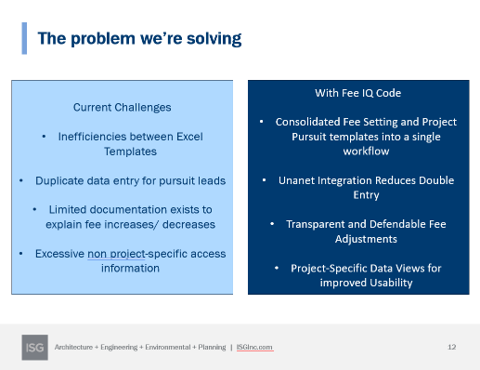
Practice groups were working across separate Excel templates with duplicate data entry, limited documentation for fee changes, and excessive non-project-specific access. Fee IQ consolidates fee setting and project pursuit into a single workflow, integrates directly with Unanet to cut down on double entry, and gives each practice group transparent, project-specific views.
How It Works
-
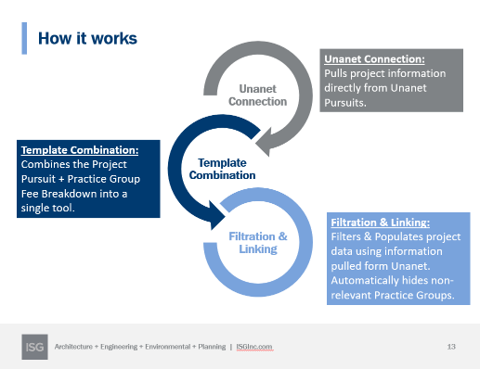
Fee IQ runs in three stages. Unanet Connection pulls project information directly from Unanet Pursuits. Template Combination merges the Project Pursuit and Practice Group Fee Breakdown templates into a single tool. Filtration & Linking then populates project data pulled from Unanet and automatically hides practice groups that aren’t relevant to a given project.
Key Code
-
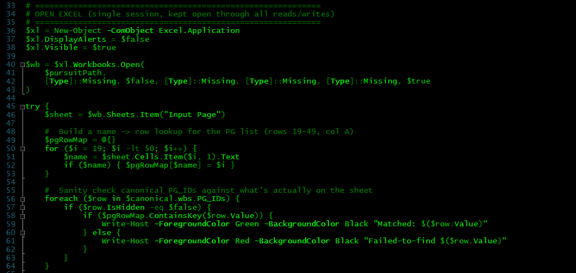
The script opens a single Excel COM session, kept open through all reads and writes, and maps practice group names to their row numbers on the Input Page. It then sanity-checks every canonical practice group ID pulled from Unanet against what’s actually present on the sheet, logging matches and misses to the console.
-
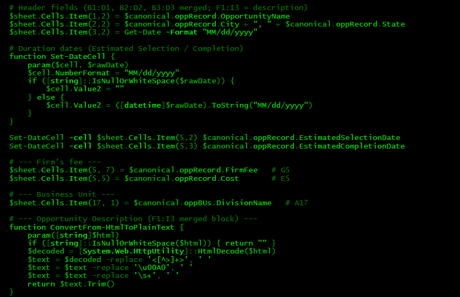
Each canonical Unanet opportunity record is mapped directly into the merged header cells — name, city/state, key dates, firm fee, cost, and business unit — using a helper function that safely handles null or malformed dates. A second helper strips HTML out of the opportunity description field so it can be dropped into the sheet as clean text.
-
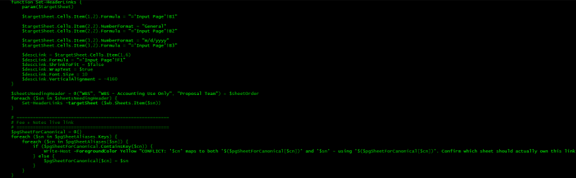
A reusable Set-HeaderLinks function writes live-linked formulas back to the Input Page on every sheet that needs the header — WBS, Accounting, Proposal Team, and each practice group sheet — so those values stay in sync automatically instead of being pasted as static text.
-
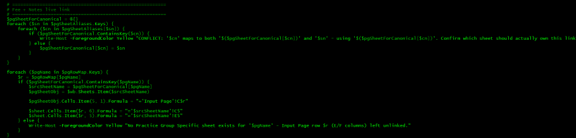
This is the core of the filtering logic. The script builds a canonical map of practice group aliases to their actual sheet names, flagging any conflicts, then loops through every practice group row on the Input Page and formula-links its fee and notes cells directly to the matching practice group sheet — automatically flagging unmatched rows rather than silently failing.
What I Learned as a Project Manager
- Be a master of communication — nothing else works without it
- The team’s success is your success
- Always know the goal of a task before you start on it
- Think in logic-based scheduling and sequencing
- Ask questions, or you end up back at step one
- Structure and organization make everything else function